Track a flight.
Book when it drops.

Calm fare alerts on iPhone. Pay once. Track forever. No accounts, no email, no ads.

Download on the App Store
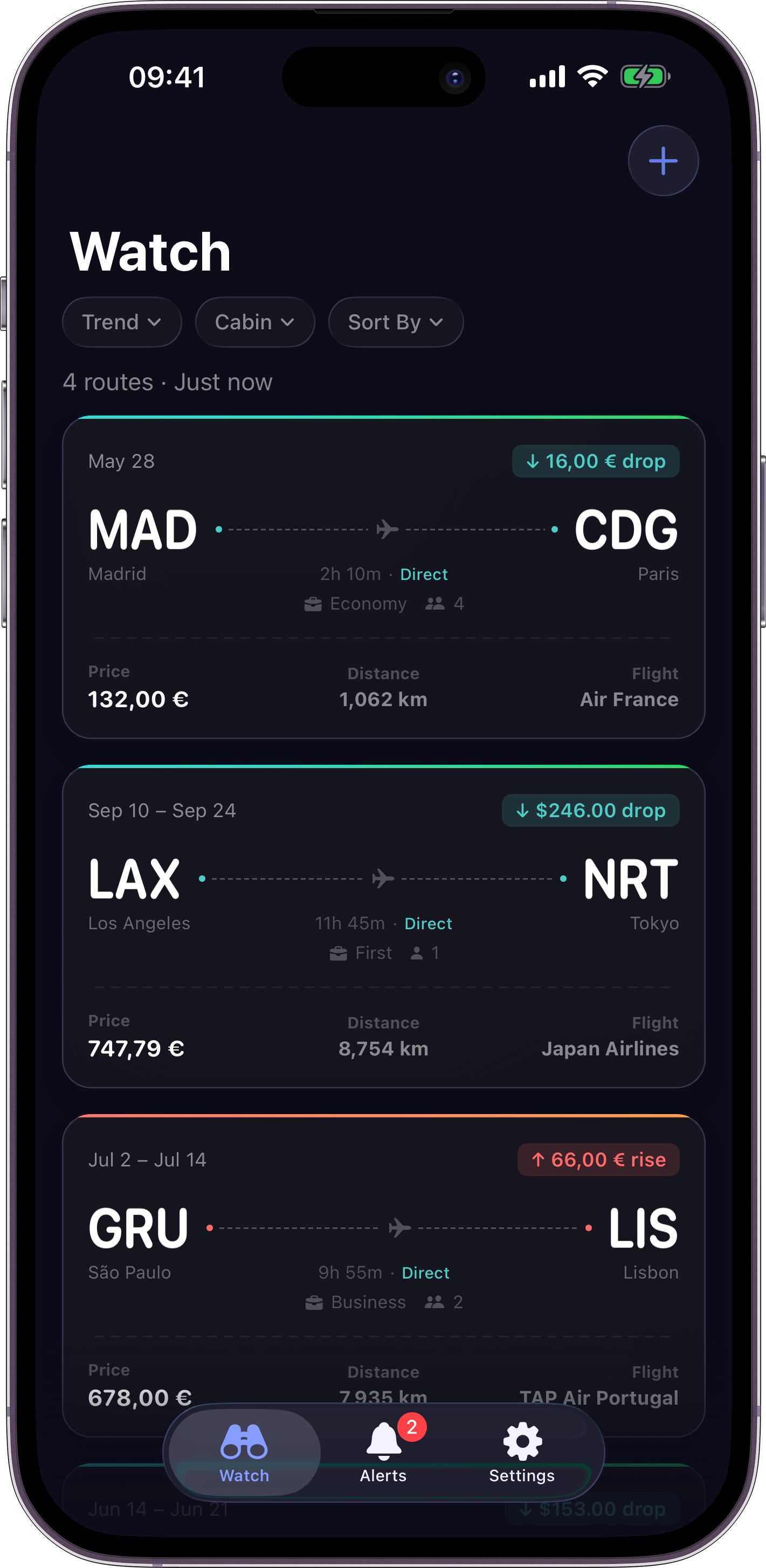
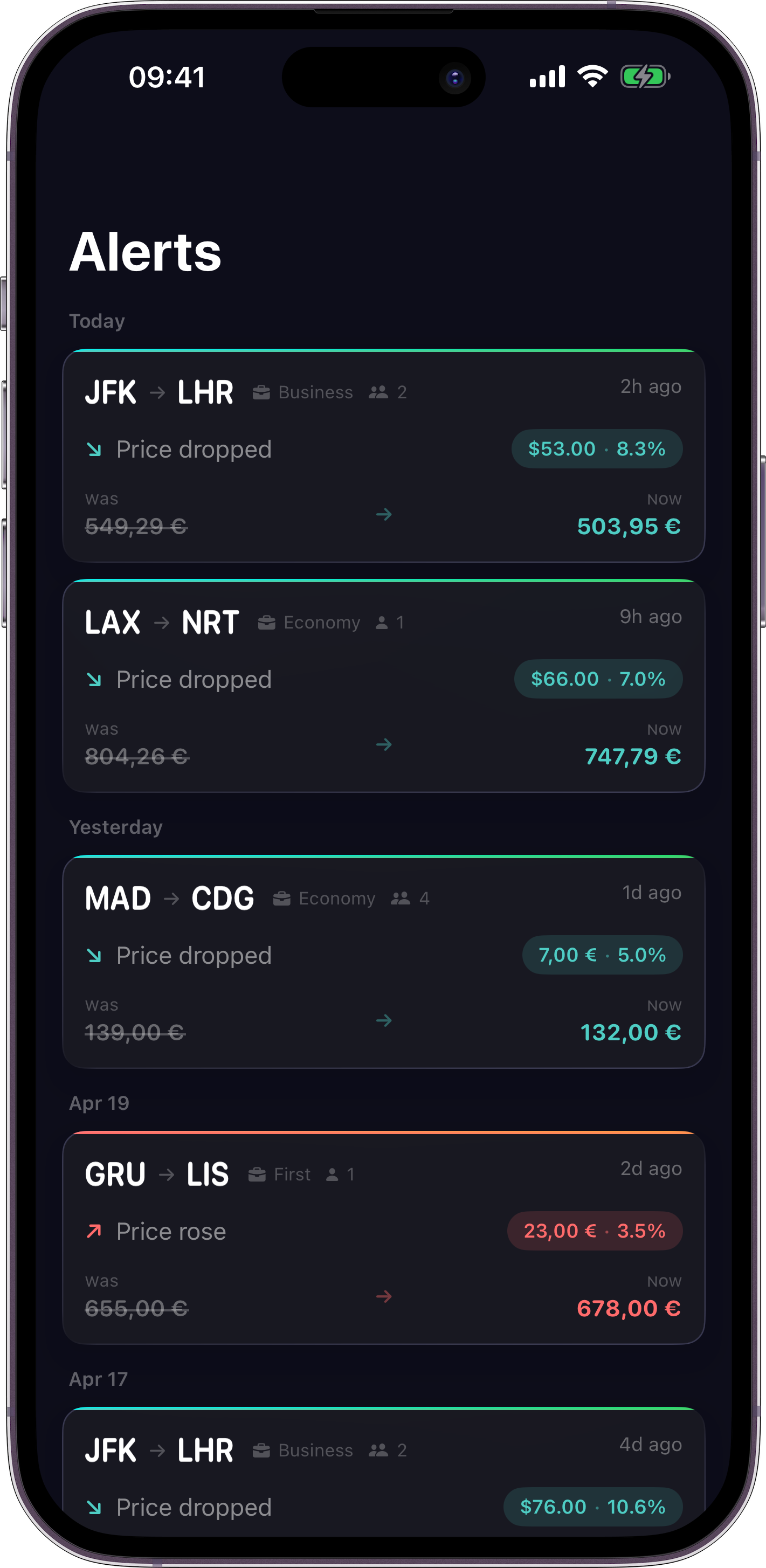
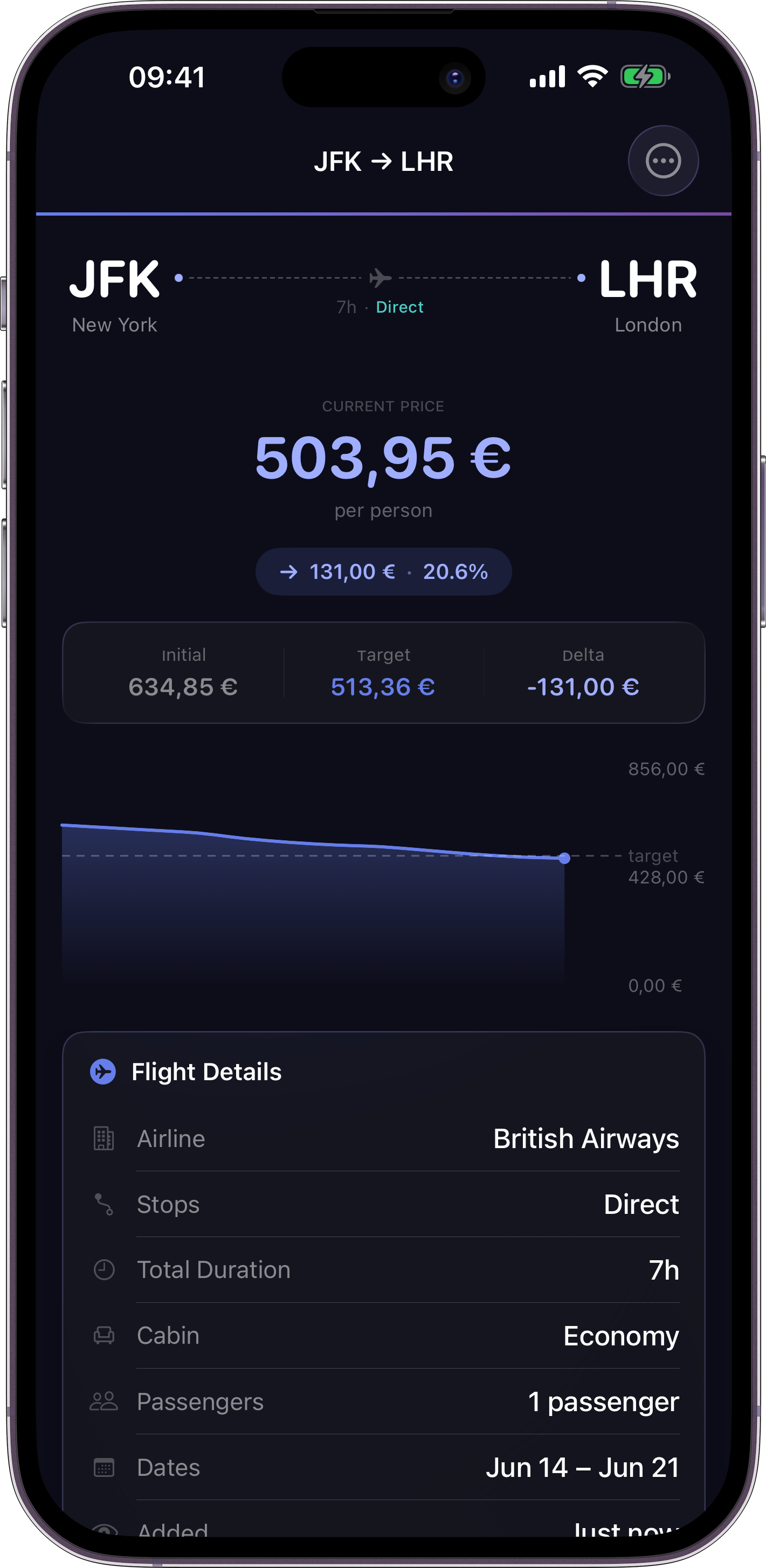
Route detail screen Watchlist screen Alerts screen
What it does

Watch flight prices without babysitting a browser tab.

Track a route once.

Set origin, destination, dates, and cabin. We watch the price for you in the background.

Push only when it matters.

You hear from us when the price meaningfully drops or climbs past your threshold. No noise.

No account, no email, no ads.

One upfront purchase on the App Store. Nothing to sign up for. Nothing to cancel.

How it works

Four steps. That is the whole app.

Add a route in the app with your target price.

We poll prices and keep a rolling 14-day history.

You get a push when the price crosses your target.

Tap the notification to open Google Flights and book.

What you get

Everything that ships today.

Pricing

Paid once on the App Store.

One upfront purchase. No subscriptions, no in-app purchases, no upsells. The current price is shown on the App Store listing.

Support

Something not working? Write us.

Email leo+farehawk@leocardz.com. We reply within two business days.

Please include your iOS version, the app version (from Settings), the route you were tracking, and what you expected versus what happened.

My push alert never arrived.
Check that notifications are enabled for FareHawk in iOS Settings, that the route is still active in the app, and that Focus or airplane mode is not silencing the alert. If a push still does not arrive, email us with the route details.
Prices do not match what I see on Google Flights.
We cover a slightly different pool of fare sources. Tap the notification or the route in the app to open Google Flights and confirm the current price before you book.
How often do you check prices?
Several times per day per tracked route, adjusted as the departure date approaches. If a third-party provider rate-limits us, we pause and retry rather than ship stale numbers.
Can I track business class or multi-city?
Business and premium cabins work today. Multi-city is not supported yet. Round-trip and one-way are both fine.
How do I delete my data?
Unwatch the route in the app and the server prunes it immediately. Delete the app and any remaining watcher is removed the next time our backend tries to push to it. There is no account to close.